Anycubic Wash and Cure Plus 3 workflow — time from print to paint-ready

By James Vek · Editor, Resin Rundown
Published June 1, 2026 · Last reviewed June 1, 2026
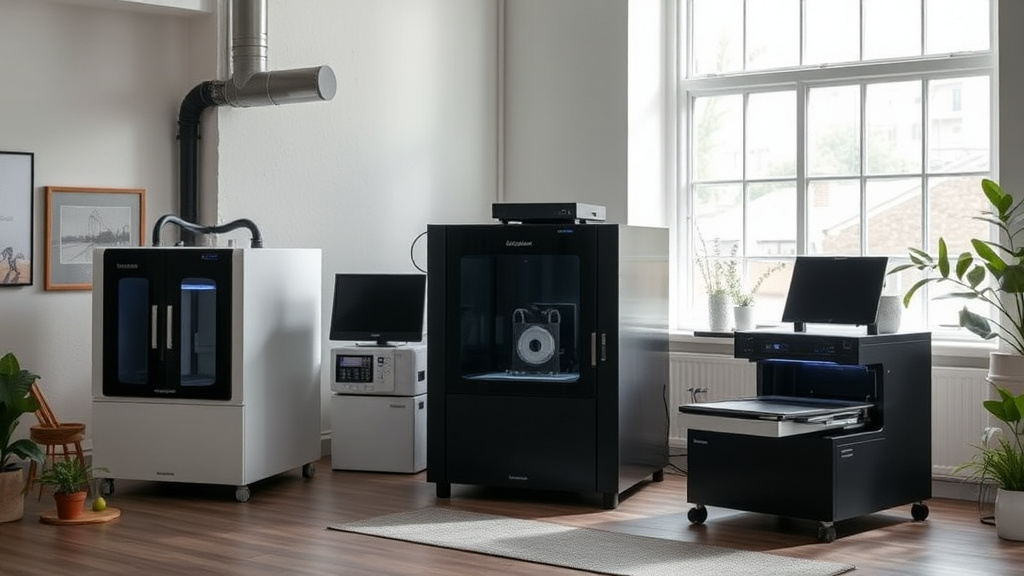
The Anycubic Wash and Cure Plus 3 is a popular choice for resin 3D printing enthusiasts looking to efficiently move from print to paint-ready models. Understanding the workflow and timing involved with this device helps ensure optimal post-processing results and a smooth user experience.
Key takeaways
- The Wash and Cure Plus 3 combines ultrasonic cleaning and UV curing with discrete settings for different resins.
- Typical full post-processing time ranges from 40 minutes to 1 hour, depending on model size and resin type.
- Proper preparation, including pre-wash inspection and careful handling, impacts paint-ready quality.
- Using the right cleaning solvents and standardized cure times streamlines workflow and avoids under- or over-curing.
- The device’s touchscreen interface and preset programs simplify transitions between washing and curing steps for consistent outputs.
Overview of Anycubic Wash and Cure Plus 3
The Anycubic Wash and Cure Plus 3 is designed to integrate two essential resin 3D printer post-processing steps: washing uncured resin off the models and curing them under ultraviolet (UV) light. Its 3D-printed parts washing is performed via an ultrasonic cleaning tank which increases washing effectiveness and decreases the time needed compared to manual cleaning or shaking models in isopropyl alcohol (IPA) tanks.
After washing, the stand-alone UV curing chamber finishes off the model by hardening the resin fully to enable sanding, painting, or assembly. The unit supports preset cure and wash durations tailored to common resins and allows manual adjustment to fine-tune based on user preference.
Step 1: Initial wash preparation and loading
Start by removing the print from the build plate and rinsing off excess resin with paper towels or a soft brush to avoid large clumps that might clog the ultrasonic wash tank.
Next, fill the ultrasonic wash chamber with isopropyl alcohol (typically 90% or higher concentration is recommended for best results). The volume should be sufficient to fully submerge the model but avoid overfilling the tank to prevent leaks during cleaning.
Once the wash tank is filled and secured, place the model on the integrated basket or tray, lowering it fully into the IPA bath without touching the cleaning elements. Use the touchscreen to select a wash program corresponding to your resin type or start a custom wash cycle, typically ranging from 5 to 10 minutes.
Step 2: Ultrasonic wash process and timing
The ultrasonic cleaning process agitates the IPA, helping dissolve uncured resin on the surface and in hard-to-reach crevices. For most standard resins, the Wash and Cure Plus 3 recommends an ultrasonic wash time of about 5 to 7 minutes.
Overwashing risks damaging detailed or delicate features or causing the resin to soften excessively, while underwashing can leave sticky residues leading to paint adhesion issues. Waiting briefly after washing (a minute or so) allows IPA to drain, reducing the chance of trapping solvent in crevices.
If the model is large or has deep recesses, consider a second gentle rinse in clean IPA by hand to fully remove loosened resin before curing. Avoid wiping the model aggressively—let the ultrasonic action primarily do the work.
Step 3: Drying and inspection before curing
After washing, it’s important to thoroughly dry the model to avoid diluted or uneven curing. Gently pat dry with lint-free cloths or place the model on a drying rack in a well-ventilated area for 5 to 10 minutes.
At this stage, inspect the model surface closely under bright light, checking for any uncured sticky areas or residual IPA. A tacky feel indicates incomplete washing or residual resin, and the model may require additional clean cycles before curing.
Step 4: UV curing parameters and timing
The curing step hardens the resin fully, improving strength, stability, and surface finish quality for painting or handling.
Anycubic Wash and Cure Plus 3 offers preset UV curing programs with durations typically ranging from:
- 5 to 8 minutes for softer or less opaque resins
- 10 to 15 minutes for standard or tougher resins
- Up to 20 minutes for thick or heavily pigmented models
Adjust curing time based on resin manufacturer recommendations and desired model properties. The curing tank contains UV LEDs arranged to evenly expose all visible surfaces by rotating the model on a built-in turntable.
Step 5: Post-cure cooling and final inspection
Once the curing cycle finishes, the model should cool down before inspection or additional handling, as residual heat from the LEDs may soften the surface slightly if touched immediately.
Inspect the model under natural or UV-enhanced lighting to verify even cure and to identify any shadowed or underexposed areas. If any soft spots or tackiness remain, consider repeating the curing process with additional short bursts rather than prolonged single cures, which can cause yellowing or brittleness.
Workflow time summary table
| Step | Typical Duration | Notes |
|---|---|---|
| Pre-wash rinse | 1–2 minutes | Manual wipe to remove large resin blobs |
| Ultrasonic wash | 5–7 minutes | Preset or custom, resin dependent |
| Post-wash drying | 5–10 minutes | Air dry or paper towel, avoid trapped IPA |
| UV curing | 8–15 minutes | Adjust based on resin type and model thickness |
| Post-cure cooling | 5 minutes | Avoid immediate handling to prevent damage |
| Total estimated workflow | 24–39 minutes (typical) | Model-dependent; larger/thick models require more |
Optimizing your workflow for smoother paint readiness
- Use fresh IPA regularly: Cloudy or contaminated IPA reduces washing efficiency and extends cleaning duration.
- Clean the ultrasonic tank weekly: Resin buildup can reduce cavitation and cleaning effect.
- Select appropriate resin presets: Following Anycubic and resin manufacturer recommendations ensures best timing.
- Avoid excess model handling: This prevents re-contamination or surface damage prior to paint.
- Test with small prints: Adjusting wash and cure durations on smaller models saves time and material during setup.
FAQ
How long does it take to wash and cure a print with the Anycubic Wash and Cure Plus 3?
Typical washing takes between 5 and 7 minutes using ultrasonic cleaning with isopropyl alcohol, followed by drying, and then UV curing lasting roughly 8 to 15 minutes depending on resin type and model thickness. Total workflow time generally ranges from 25 to 40 minutes.
Can I use solvents other than isopropyl alcohol in the ultrasonic wash tank?
Isopropyl alcohol (90% or higher) is recommended for consistent cleaning and safety. Some users test denatured alcohol or specialized resin cleaners, but check solvent compatibility and avoid flammable or corrosive liquids in the tank.
What if my model remains sticky after curing?
Incomplete curing or residual resin can cause tackiness. Try longer or multiple shorter curing cycles, ensure thorough washing, and confirm IPA has evaporated fully before curing begins.
Can the Wash and Cure Plus 3 handle multiple models at once?
Yes, the washing tank and curing chamber can accommodate several small models simultaneously if fully submerged and spaced to allow equal IPA contact and UV exposure during cure.
Does washing damage detailed or fragile prints?
Ultrasonic washing is generally gentle but may slightly soften delicate parts if overexposed. For highly detailed prints, use shorter wash cycles and consider manual rinsing to avoid lost details.
This deep look at the Anycubic Wash and Cure Plus 3 workflow outlines practical timing and steps from print removal to paint-ready resin models. Following these guidelines helps 3D printing hobbyists and professionals consistently achieve clean, hardened prints ready for finishing work.